
Playing with Apple Scripts
This tutorial will show you an hidden technology that connects Apple's Script Editor with iNMR. The author can't find any useful application for what is described here. His inability probably depends on the fact that the same author has never found a useful application for Apple Script in general. The experience and the ingenuity of the reader may instead suggest some very useful application or a new field of development for iNMR. Also read Playing with Python
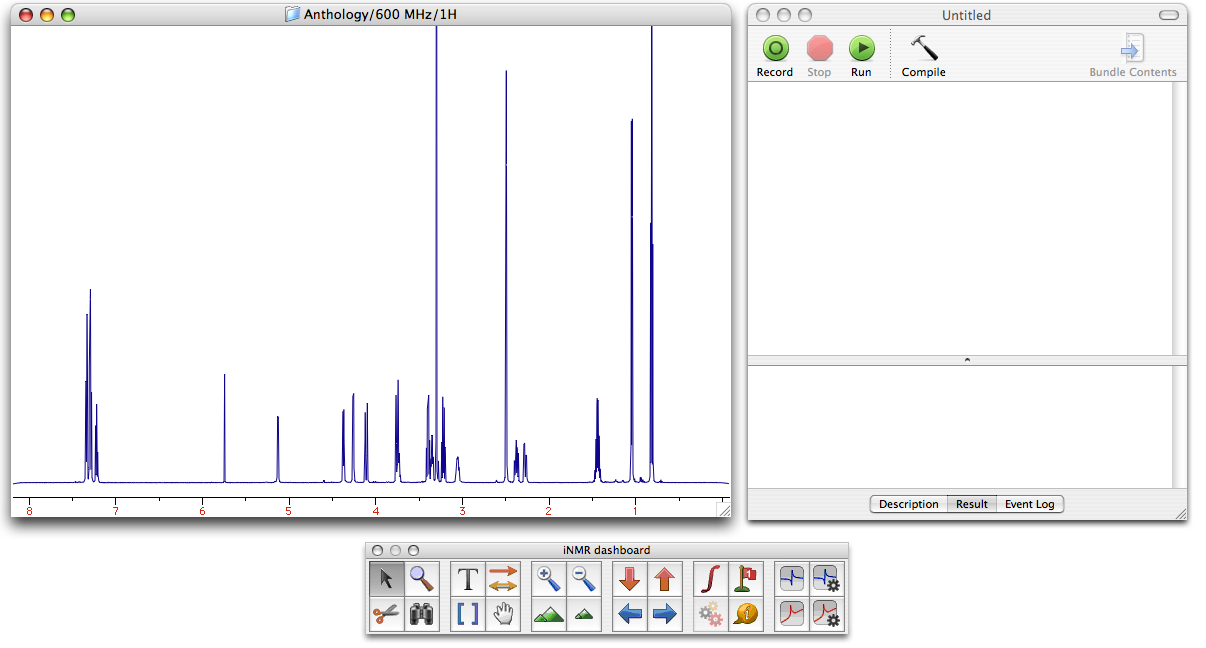
Open a simple 1-H FID with iNMR. Perform a minimal processing (it's enough that you press Cmd-Alt-R). Open the AppleScript Editor (pre-installed on all the Macs). Arrange the two windows so they are both visible without covering each other:
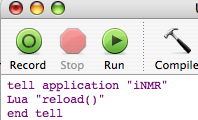 Copy the text below into the Script Editor.
tell application "iNMR"
  Lua "reload()"
end tell
Click the button “Run”.
Substitute the second line with:
Lua “wft()”
and run the modified script. Then try the following modifications, each time followed
by a click into the button “Run”:
Lua "region(4,5) press'z'"
Lua "full()"
Lua "amp(10)"
Lua "amp(0.1)"
Lua "print(intreg())"
Lua "region(4,5) press'i'"
Lua "print(intreg())"
Here is a more complex example showing more tricks:
-- the following examples show how to communicate between an AppleScript script and iNMR
tell application "iNMR"

	-- setting a Lua variable from outside
	setLuaNumber "x" value 2
	setLuaString "name" value "Joe"

	-- executing Lua statements
	Lua "sum = x + x"
	Lua "print('x + x = '..sum)"
	Lua "print( name )"

	-- getting values from iNMR
	set someText to get message
	set for_all_option to get forall
	set aNumber to getLuaNumber "sum"

	-- showing text into iNMR
	Lua "print 'these words comes through Lua...'"
	set message to "This sentence has by-passed Lua."

end tell
display dialog for_all_option buttons {someText, "Ok"}